
AI Home & Garden Design - Ruma
EXXE Dijital Teknoloji A.Ş.House & Home
4.72.00 Reviews
- Version
- 1.2.39
- Installs
- 50.00K
- Age Rating
- Everyone
Screenshots
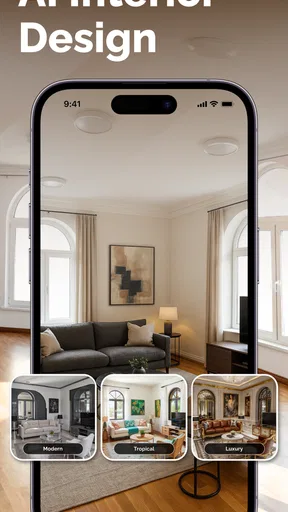

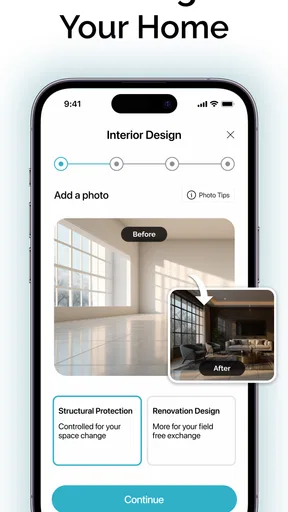
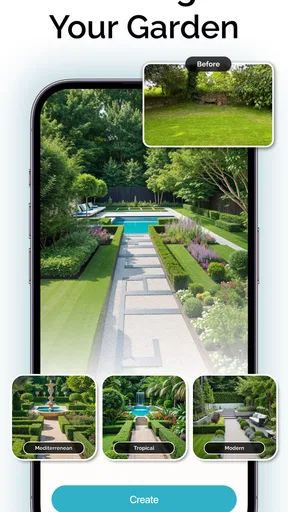
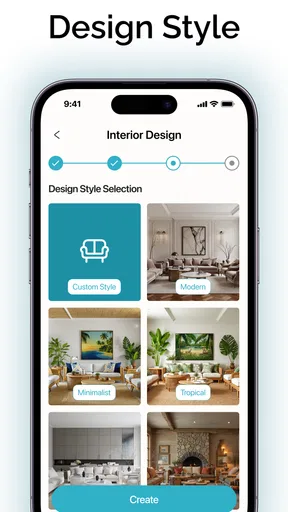
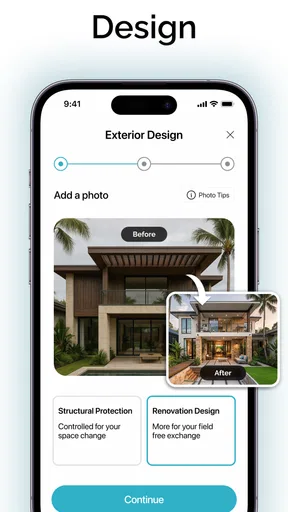
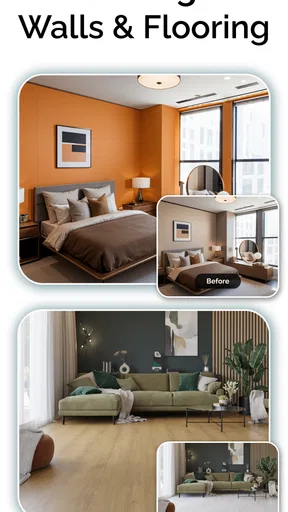
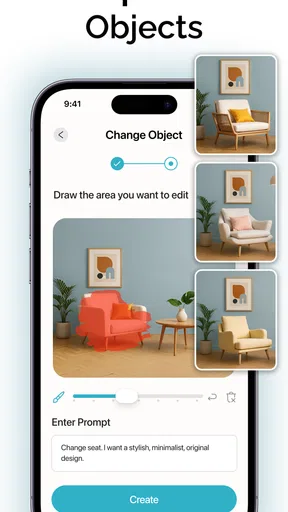
Our Review of AI Home & Garden Design - Ruma
 Analysis by Appyee
When I first open a home-design app, I want to know whether it can help me make one real decision, not just fill my screen with attractive ideas. AI Home & Garden Design - Ruma is aimed at people who want to explore changes to a room or outdoor space before committing time and money. It sits in the House & Home category, and its focus on both interiors and gardens gives it a broader brief than a room-only inspiration board. I find it most useful as a place to start thinking: it can help turn a vague wish to refresh a space into options I can compare.
That distinction matters. A design app can make a room look appealing without showing whether a plan suits daily routines, existing furniture, or the practical limits of a home. I would treat Ruma’s suggestions as ideas to evaluate, not as professional plans or guarantees that a particular arrangement will work in person. With that expectation, it can make the first steps less intimidating, especially if you are new to decorating and need a visual prompt before deciding what to change.
Getting Started with Ruma
First things first, Ruma is incredibly user-friendly. The installation process was a breeze on both Android and iOS, and before I knew it, I was ready to explore its features. The app offers a sleek, intuitive interface that even the least tech-savvy individuals can navigate with ease. Upon opening Ruma, you're greeted with a clean dashboard, offering quick access to various design tools and templates. It's like stepping into a virtual design studio!
Making the First Session Useful
For a first-time user, I would avoid trying to redesign the whole home in one sitting. Pick one space with a clear problem: perhaps a living room that feels crowded, a blank wall, or a balcony you have not worked out how to use. Before opening the app, take a moment to decide what you want to improve and what must stay. That small bit of preparation gives you a more useful way to judge suggestions than simply asking whether an image looks stylish.
If you are using a photo as the basis for an idea, choose one that shows the area you actually want to change. A clear view is more useful than a dramatic angle that hides corners or furniture. I would also keep a few practical notes nearby, such as which pieces cannot move and what the room is used for at busy times. Those details help you filter visual inspiration through real life, even when the app is doing the creative prompting.
The Power of AI at Your Fingertips
What sets Ruma apart is its powerful AI capabilities. Whether you're planning a complete home makeover or just sprucing up your garden, Ruma’s AI can analyze your space and provide personalized design suggestions. I was genuinely impressed by how the app could suggest color palettes, furniture arrangements, and even plant species based on the lighting and dimensions of my rooms.
Using the app's AI feature feels like having a personal designer with you at all times. I simply uploaded photos of my living room, and in seconds, Ruma suggested a variety of design options that aligned perfectly with my style preferences. This feature is a real game-changer for anyone looking to make design decisions with confidence.
The most helpful way to use those ideas is to compare them against one specific goal at a time. If the room needs to feel calmer, pay attention to palette and visual clutter before judging the furniture suggestions. If you are trying to make a narrow area more workable, focus on the proposed arrangement rather than the decorative details. This keeps a striking image from distracting you from the question that brought you to the app in the first place.
I would also use AI output as a conversation starter if you share the space with someone else. Two people can react to the same proposal differently, and a visual option often makes it easier to explain what feels wrong or promising than a general conversation about “changing the room.” It is still worth checking any important choice in the actual space: an image cannot settle questions such as whether a walkway feels comfortable or whether a piece of furniture will fit through a doorway.
Exploring Design Templates and Tools
Ruma comes packed with a plethora of design templates and tools. Whether you're into modern minimalism or rustic charm, there's something for everyone. The app allows you to play around with different themes and styles, giving you the freedom to experiment without the commitment. I spent hours mixing and matching furniture pieces and accessories until I found the perfect combination.
Another standout feature is the 3D visualization tool. This allows you to see how your chosen designs will look in real life. You can rotate and explore your virtual space from different angles, which is incredibly helpful for visualizing the final outcome. It's like having a virtual reality tour of your future home!
For a more efficient session, I would save a small number of alternatives rather than endlessly changing details. One version can keep the existing layout while testing a new look; another can explore a more substantial rearrangement. Comparing a couple of distinct directions makes it easier to spot which parts of an idea you truly like. The trade-off is that virtual presentation can make a concept feel more settled than it is, so I would verify dimensions and clearances independently before buying anything or moving heavy items.
This is where Ruma differs from the usual alternatives. A mood board or image-search session is good for collecting references, but it can leave you to imagine how a style fits your own room. A conventional planning tool may offer more direct control for precise layouts, but can feel like work before you have a direction. Ruma’s appeal is the bridge between those approaches: it can help you explore a look in the context of your space, while still leaving the final practical checks to you. If you already know exact measurements and need construction-ready drawings, a dedicated planning service or professional is the better fit.
Gardening Made Easy
Let's not forget the garden enthusiasts. Ruma doesn't just stop at home interiors; it extends its magic to your outdoor spaces as well. The app offers a comprehensive plant database, complete with care tips and compatibility suggestions for various garden styles. I found this particularly useful as I'm not exactly blessed with a green thumb.
With Ruma’s guidance, I was able to plan a small herb garden on my balcony, choosing plants that thrive in my climate and sunlight conditions. The app even reminded me when to water my plants, making garden maintenance a breeze.
A balcony is a good example of where visual planning can save effort before you bring anything home. I would first note how much direct light the area receives and consider whether the space needs to remain clear for everyday use. Then I would use plant suggestions as a shortlist to investigate, rather than treating a design idea as a substitute for checking local growing conditions. The same habit applies to a garden bed: consider exposure, available space, and the time you can realistically spend caring for it before settling on a plan.
For a first successful garden project, keep the scope modest. A few herbs or a small corner arrangement is easier to maintain than a full outdoor makeover, and it gives you a chance to learn what works in your particular space. A design that looks lush can demand more watering and upkeep than you want to provide. I would weigh the care tips against my own schedule and choose a plan I can maintain, not merely one that looks complete on screen.
Who Will Get the Most from It
I would recommend Ruma to renters who want to explore reversible changes, first-time decorators who need visual direction, and homeowners who are still deciding between a few styles. It can also help someone preparing for a conversation with a partner or family member: rather than arguing from abstract descriptions, you can use design options to identify shared preferences. Gardeners with a small patio or balcony may appreciate having interior and outdoor planning in one place, especially when they are still working out how to use the space.
It is less suited to people who want exact technical drawings, dependable construction specifications, or a guaranteed fit for furniture and plants. Anyone making structural changes should rely on qualified advice, and anyone choosing plants for a challenging climate or a specific health concern should verify suitability through a reliable local source. If you already have a firm plan and only need precise measurements, a measurement-led room planner may be more direct than an inspiration-oriented design process.
There is also a useful distinction between inspiration and commitment. Ruma can help you narrow a direction before you spend, but I would not make a purchase solely because an AI-generated arrangement looks convincing. Check product dimensions, material needs, light conditions, and the physical route into the room. These are ordinary checks, but they are exactly where a polished visual concept can otherwise lead to avoidable disappointment.
Practical Details Before You Commit
Ruma is free to download, with in-app purchases listed from $5.99 to $59.99 per item. I would start with the free experience and decide whether the way it handles your project is valuable before paying for anything. The app is rated for Everyone, and its current version is 1.2.30; it requires Android 9 or later. The developer is EXXE Dijital Teknoloji A.Ş. These details make it easier to judge whether it fits your device and whether you want to explore its paid options, without treating a purchase as necessary for every user.
The app has a 4.7 average from around 442 ratings and has passed 10,000 installs. I see that as a useful sign of interest, not a guarantee that every suggestion will suit every home. It was released on March 25, 2025, and has two written reviews, so I would put more weight on testing it with a small personal project than on expecting a long record of community advice. For me, a quick trial on one room or balcony is the sensible way to decide whether its approach matches how I like to plan.
One common point of confusion is expecting a generated visual to answer every practical question. It can help you imagine a direction, but it does not remove the need to check real measurements, budget, product availability, or care requirements. Another is treating a broad style label as a complete design decision: even if you like a theme, you may still need to decide what to keep, what to replace, and which change matters most. I get better results by treating each suggestion as a draft and asking what I would actually do next.
If you are wondering how to get value without a major renovation, start with one low-risk change. Use the app to compare a few approaches for a room you already know well, then make a short list of practical actions, such as clearing a corner, trying a different layout, or researching a suitable plant. If you are unsure whether the tool is worth continuing with, that first small project should tell you more than browsing templates without a goal. A focused test also limits the temptation to spend on a larger plan before you know what you want.
Final Thoughts
In a world where home design can often feel overwhelming, AI Home & Garden Design - Ruma provides a refreshing solution. It combines the best of technology and creativity, empowering users to bring their design visions to life. Whether you're a seasoned design pro or a complete novice, Ruma makes the process enjoyable and stress-free.
So, if you're ready to transform your space with a touch of AI magic, give Ruma a try. Who knows? You might just find yourself falling in love with the art of home and garden design.
My own recommendation is to approach it as a creative planning companion, not an authority that makes the decision for you. It is at its strongest when you have a specific space, a modest goal, and the patience to check ideas against your real home. If you want inspiration that connects a room or garden to a visual plan, it is worth exploring. If your priority is precise technical planning or expert horticultural guidance, pair it with a more specialized option instead.
Verdict
Strengths of AI Home & Garden Design - Ruma
- User-friendly interface for easy navigation.
- Wide variety of design templates available.
- Real-time 3D visualization of designs.
- Seamless integration with smart home devices.
- Regular updates with new features and improvements.
Limitations of AI Home & Garden Design - Ruma
- Requires a stable internet connection.
- Limited free features; many are premium.
- Occasional lag on older devices.
- Ads can be intrusive during use.
- Limited customization options in free version.
Similar Picks in This Category
View All
Universal TV Remote Control
CodeMatics Media Solutions3.9

AlfredCamera Home Security app
Alfred Systems Inc.4.7

Planner 5D: AI Home Design
Planner 5D4.5

Universal Tv Remote-Cast to TV
One Music Player4.1

Zillow: Homes for Sale & Rent
Zillow Group4.8

99acres Buy/Rent/Sell Property
infoedge.com4.3
Frequently Asked Questions
What is AI Home & Garden Design - Ruma?
AI Home & Garden Design - Ruma is a mobile application available on Android and iOS that uses artificial intelligence to help users design and visualize their home and garden spaces. It offers a range of tools and features to customize layouts, choose materials, and experiment with different styles to create the perfect living environment.
How does the AI feature work in Ruma?
The AI in Ruma analyzes your inputs, such as room dimensions and style preferences, to generate design suggestions tailored to your space. It uses algorithms to optimize layouts and recommend suitable furnishings, plants, and decor. This allows users to explore a variety of design possibilities efficiently and effectively.
Is Ruma suitable for professional designers or just homeowners?
Ruma caters to both professional designers and homeowners. For professionals, it offers advanced tools for detailed planning and customization. Homeowners benefit from the user-friendly interface and AI-driven suggestions, making it easy to visualize and plan their spaces without prior design experience.
Are there any costs associated with using Ruma?
Ruma offers a free version with basic features, but there are in-app purchases and subscription options for accessing premium features. These may include advanced design tools, a wider selection of materials and furnishings, and the ability to save and export high-resolution designs.
Does Ruma require an internet connection to function?
While basic features of Ruma can be used offline, an internet connection is required for accessing AI capabilities, downloading updates, and syncing your projects across devices. For the best experience, it's recommended to use the app with a stable internet connection.
